

StorePlus.AI: Designing 0-1 warehouse management B2B SaaS product for faster operations
B2B SaaS
Supply Chain
0-1 Shipped

Role
Solo UX Designer
Duration
12 weeks;
worked full-time:
(Jul' 23- Jul' 24)
Stack
Figma, PowerBi
Team
1 Designer
2 Founders
3 Engineers
Here’s a 1 min TL;DR version
THE PROBLEM
Small retailers and wholesalers across India had no shared system for supply chain operations; everything ran on WhatsApp, Excel, and memory
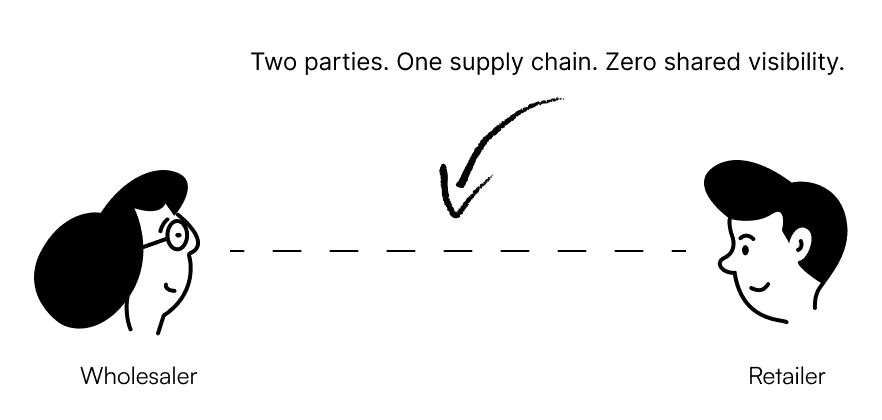
3 core systematic problems:
Fragmented communication
Manual inventory tracking
Zero order visibility
SOLUTION PREVIEW
StorePlus.AI- a B2B commerce platform that replaced informal tools with a unified operational system
Designed from 0-1 with 3 main features: 1. Modular Dashboard 2. Order Tracking 3. Chatbot
IMPACT
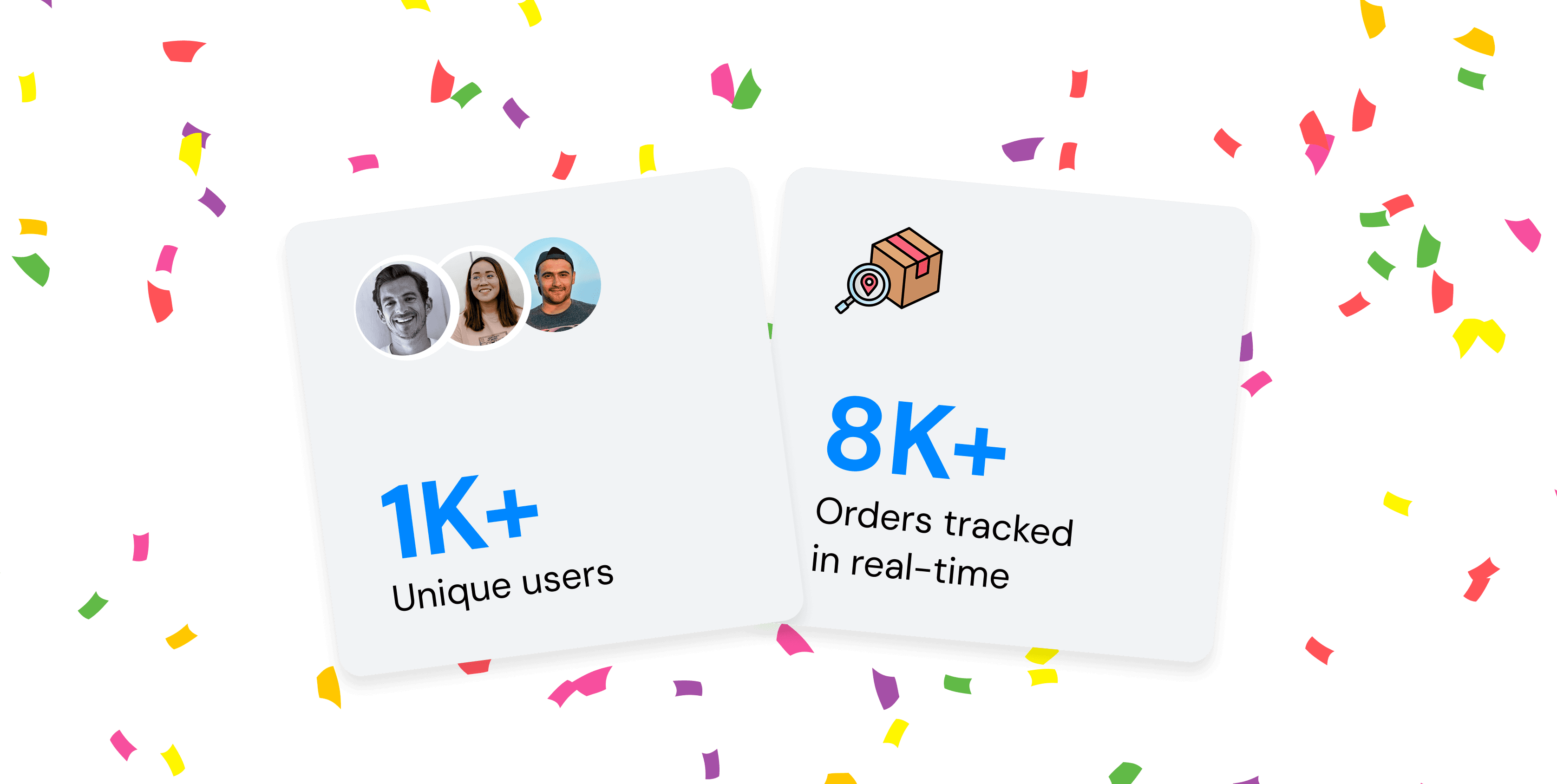
User adoption shot up within 3 months of launch 🚀
Diving deeper into the project
Let’s start from the beginning
I built the platform from 0-1, driving end-to-end product design from research through developer handoff, collaborating directly with the founders and engineers across 12 weeks for MVP launch.

RESEARCH
I conducted mixed-method research to understand how users operated before any platform existed
56
Response to
Open-Ended Surveys
8
User interviews
(4 retailers, 4 wholesalers)
4
Contextual Inquiry
8
Competitive Analysis
In-depth Research Plan
Surveys & Interviews
🧑💼 4 wholesaler interviews; 4 retailer interviews
📋 56 surveys
Goal: Uncover how users currently manage orders, what triggers a check-in, and what makes them feel confident vs. anxious in their workflow.
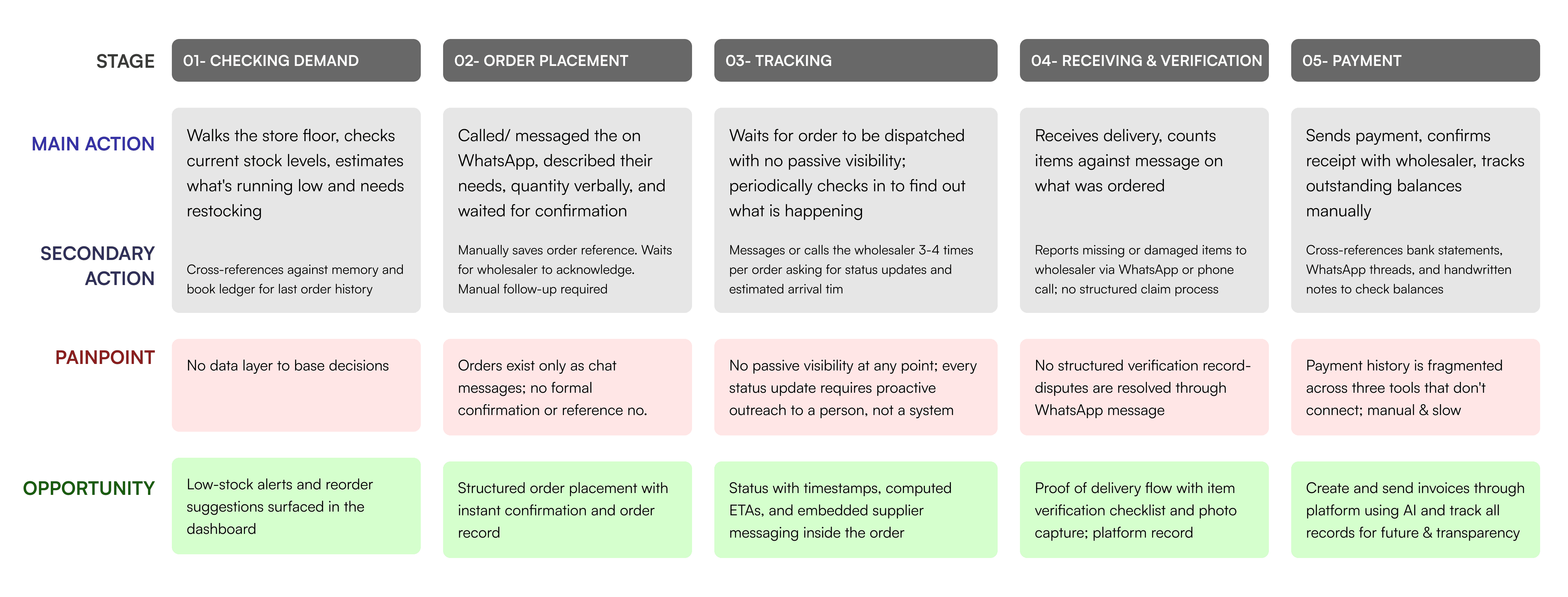
Findings: Users weren't struggling to use tools, they were surviving without the right ones. Every process was manual, every update required a person, and every decision was made on memory alone.
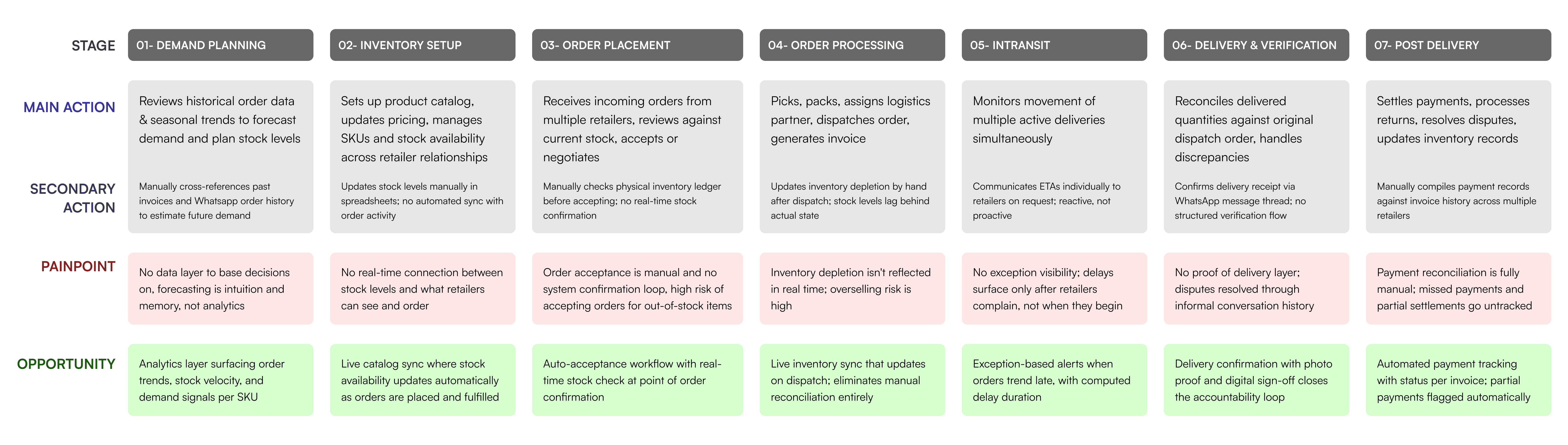
Contextual Inquiry
Goal: Observe naturalistic behavior and identify the informal systems users had built to compensate.
Findings: Every workaround told us what the platform needed to replace: sticky notes for order references, group chats for status updates, handwritten ledgers alongside digital records. None of these were habits. They were infrastructure.

Competitive Analysis
KEY INSIGHTS
Using Affinity Mapping, I analyzed the research data to find 3 key insights
1
2
3
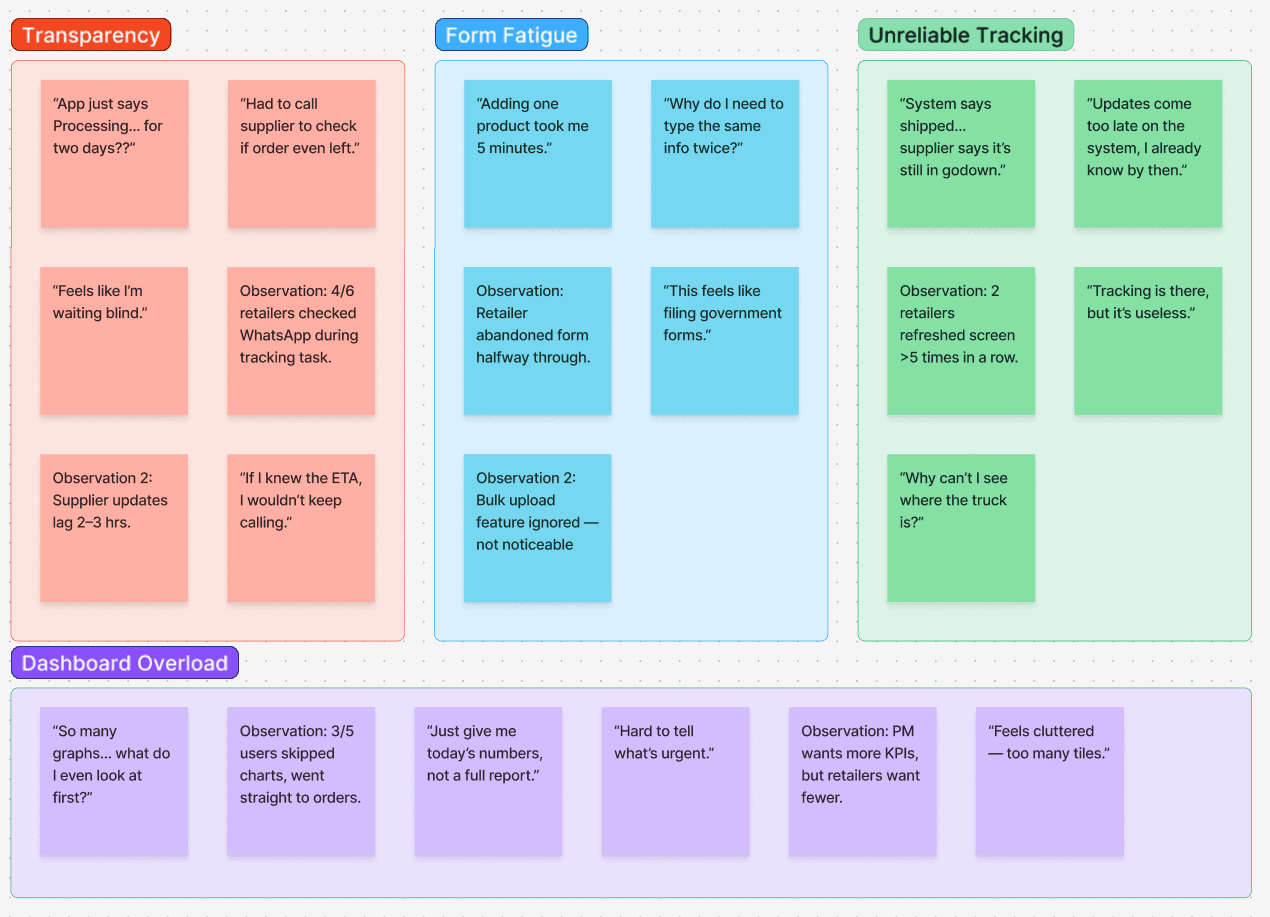
Clustering 30+ user insights into themes that shaped the redesign


🧠 How might we design a supply chain platform that users trust enough to replace the tools they already rely on?
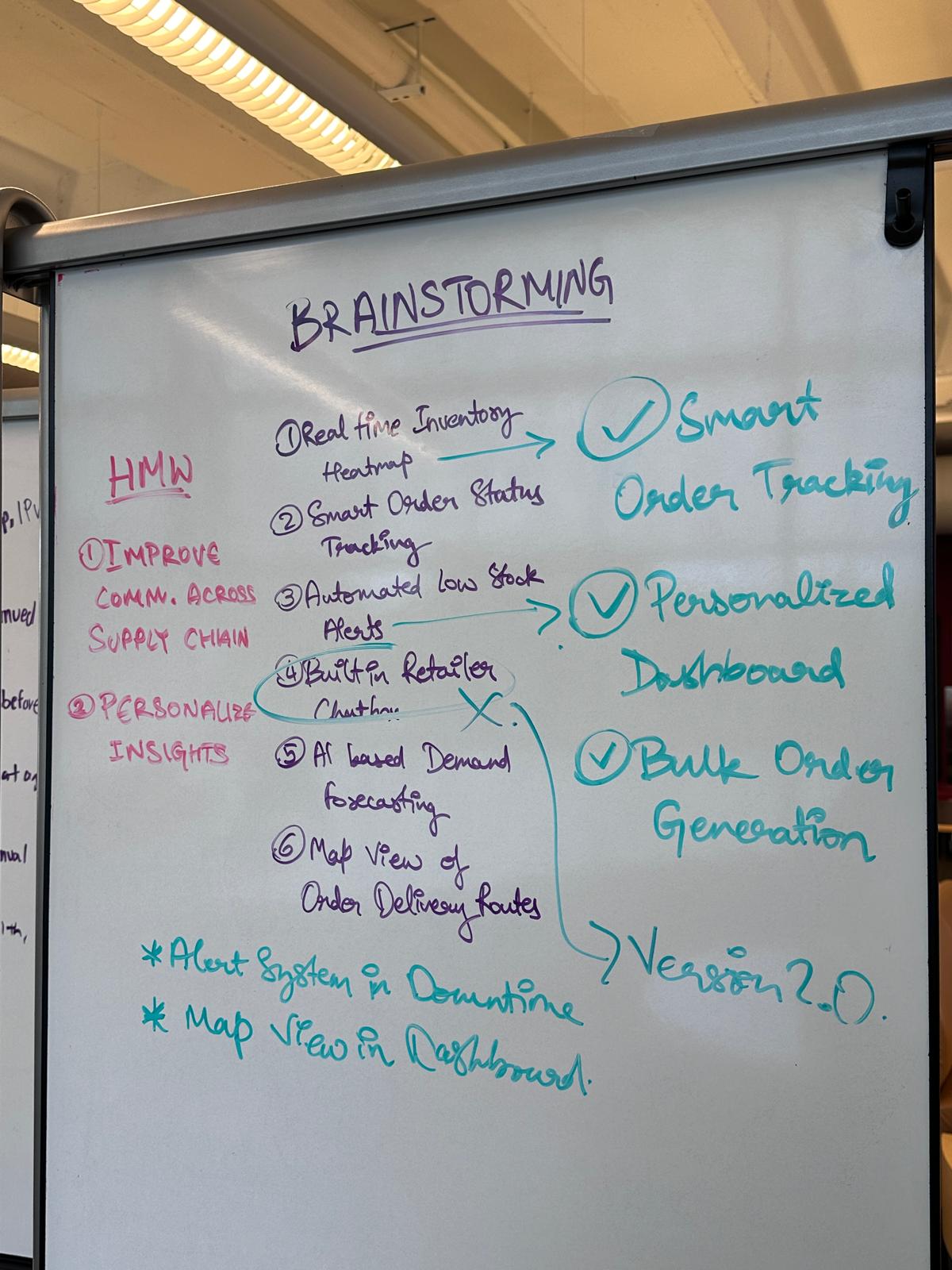
BRAINSTORMING
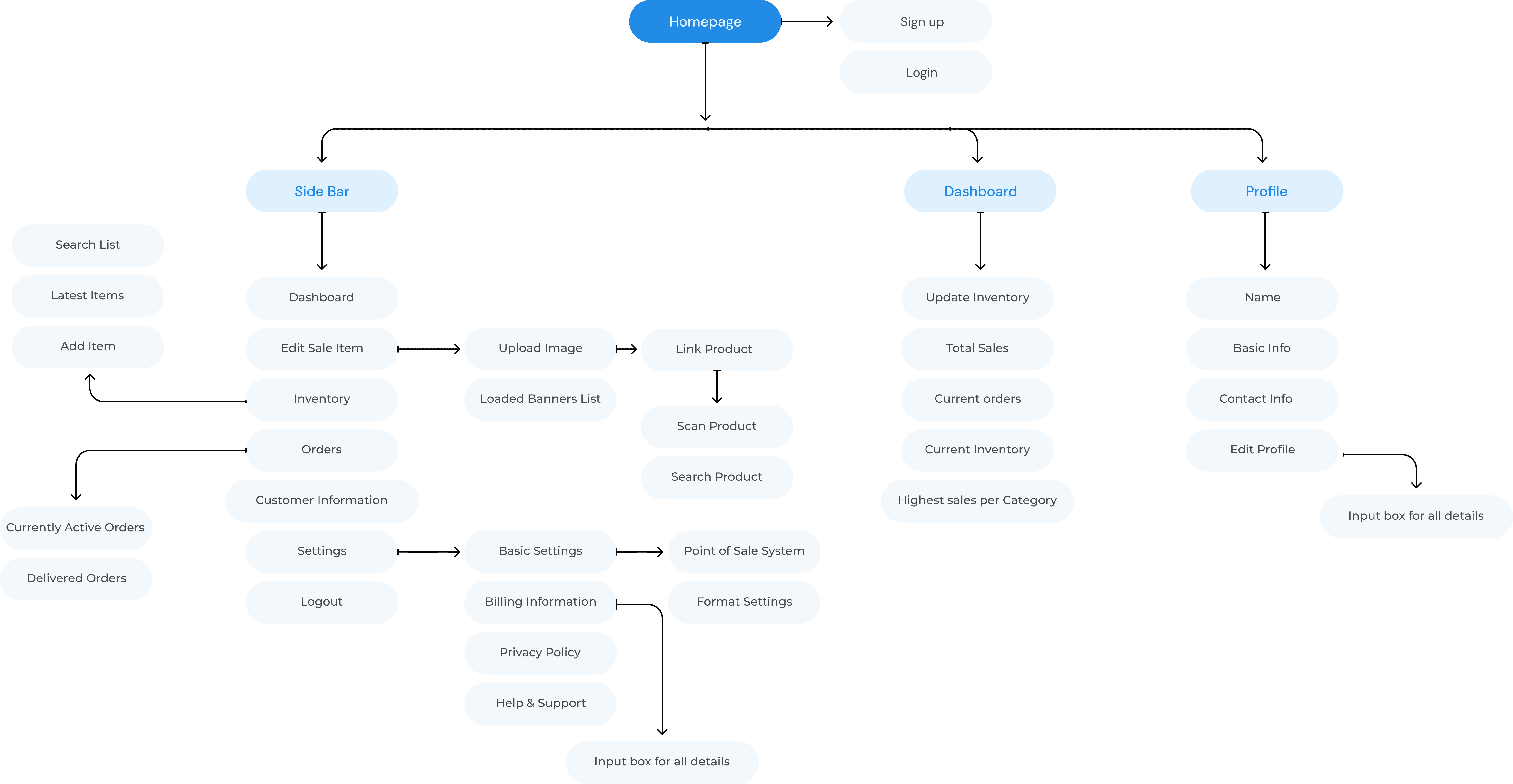
INFORMATION ARCHITECTURE
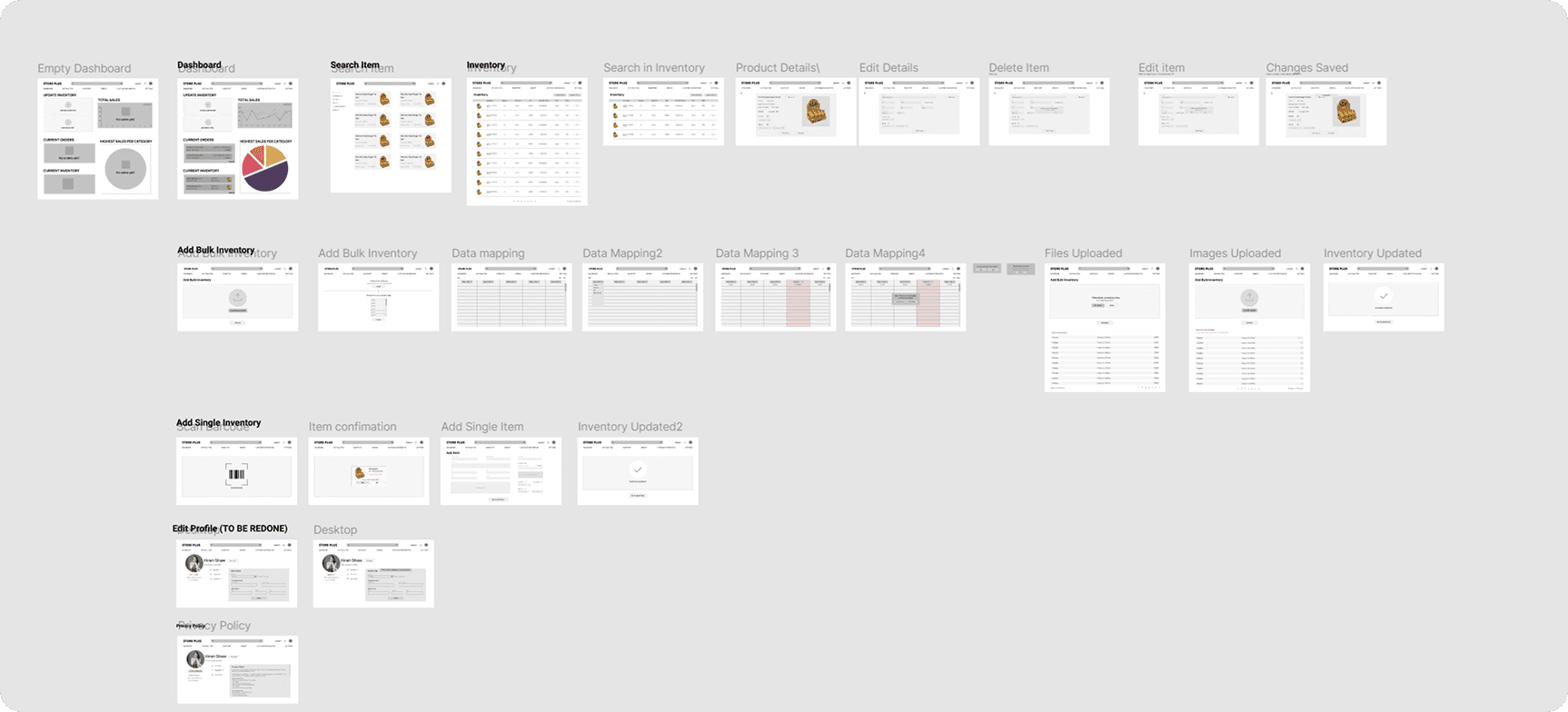
EXPLORING DIFFERENT IDEAS WITH LOW-FIDELITY WIREFRAMES
SCOPING THE MVP
The founders wanted to ship everything at once; I used effort and impact to protect the sprint and define V2
⚠️ Challenge: The founders wanted to push the entire platform in one sprint. With 12 weeks and 3 engineers, that wasn't feasible without compromising quality on every feature.
Dashboard
Medium dev effort

Medium time
High impact
✅ V1
Order tracking visibility
Low dev effort
Less time
High impact
✅ V1
AI supply chain assistant
High dev effort
More time
High impact
→ Prototyped in parallel · V2
Decision: Prioritized #1 and #2 because together they addressed the root credibility gap with manageable technical risk and within the V1 release window. The AI assistant was prototyped in parallel to validate the concept without blocking the sprint.
DEFINING SUCCESS METRICS
Before writing a single wireframe, I defined what success looked like across three levels: trust restoration, behavioral adoption, and operational efficiency

Order Completion Rate: 90%+
Why: For a 0→1 product, completion rate is the purest signal of trust. If users trust the platform enough to complete orders on it instead of reverting to their old methods, the core problem is solved.
Impact: Higher adoption rate
Supporting Metrics
Key Features Designed
FEATURE #1: MODULAR DASHBOARD
Designed Storeplus.AI which is a B2B product that connects small wholesalers and retailers operations across India
I built the platform from 0-1, driving end-to-end product design from user research, information architecture, interaction design, usability testing to developer handoff. As the solo Designer, I collaborated directly with the founders and engineers over the span of 12 weeks.